Setup
Racing Simulator Maintenance Guide: Keeping Your Rig Performing
How to maintain a direct drive racing simulator in the UAE, from firmware updates and pedal care to desert dust management and a full maintenance schedule.
A racing simulator stays performing at its best with a short weekly wipe-down and cable check, a monthly bolt and calibration check, and quarterly attention to pedals, firmware and deeper cleaning. In the UAE specifically, managing fine desert dust and keeping the rig in a consistently air-conditioned room are the two habits that matter most beyond standard care.
A direct drive rig is precision hardware, not furniture, and it rewards a small amount of routine attention with years of consistent feel. Neglect tends to show up gradually rather than all at once — a slightly looser cockpit here, a slightly worn pedal pivot there — until the rig that once felt sharp starts to feel vague without an obvious single cause. This guide sets out what actually matters, in an order you can realistically maintain.
How often should I update wheelbase firmware?
Manufacturers release firmware updates periodically to improve force feedback tuning, fix bugs, or add compatibility with new titles. Check for updates roughly monthly through the manufacturer's software, such as MOZA's Pit House application, rather than waiting for a problem to prompt you.
- Always read release notes before updating, since some updates change default force feedback behaviour that you may need to retune afterward.
- Update during a session with no time pressure, since a firmware update occasionally requires a restart or reconnection to complete cleanly.
- After any firmware update, run a quick calibration check before your next serious session, since calibration values can occasionally reset.
How often should I recalibrate?
Calibration drift is subtle and easy to miss until it affects your driving. Watch for these signs that recalibration is overdue:
- Steering feels slightly off-centre even when the wheel is physically straight.
- Brake pedal travel feels different at the top or bottom of its range than it used to.
- Force feedback feels weaker or stronger than normal without any setting having been changed.
- A recent firmware update has been applied.
As a general habit, a quick calibration check once a month catches drift early, taking only a couple of minutes through the manufacturer's software.
Checking and re-torquing cockpit bolts
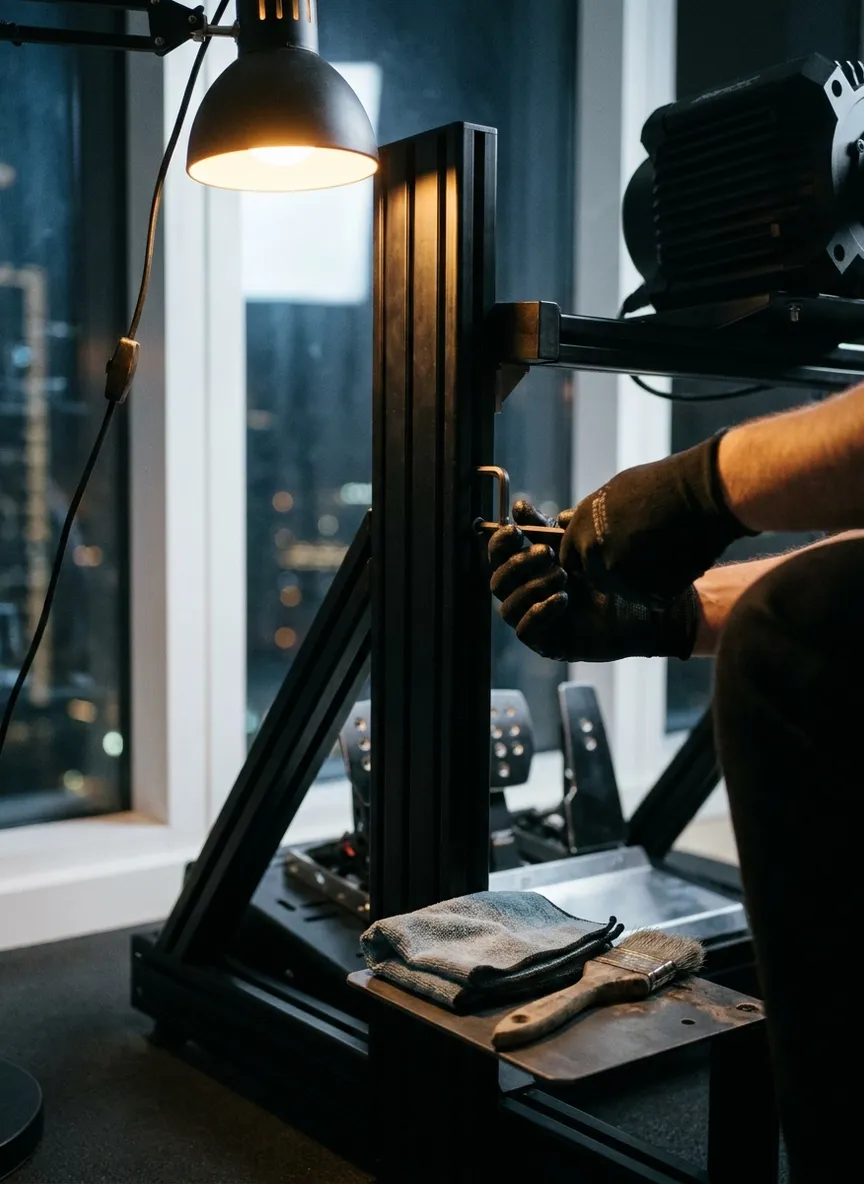
This is the maintenance task with the biggest impact on feel relative to the effort involved, and it is the one most owners skip. Every cockpit, whether aluminium profile, tubular steel or foldable, uses bolted joints that experience real vibration and force during driving. Over weeks of regular use, these bolts loosen gradually, introducing flex that blurs exactly the fine force feedback detail a direct drive wheelbase is designed to deliver.
- Check wheelbase mounting bolts, pedal plate bolts, and seat rail bolts monthly using the correct hex or Allen key size for your frame.
- Re-torque to firm hand-tight plus a modest final turn — over-tightening aluminium profile connectors can strip the internal threading, so avoid excessive force.
- Pay particular attention after any unusually hard session, a house move, or if the rig has been disassembled and reassembled for any reason.
A cockpit that has quietly loosened over months is one of the most common reasons a rig that used to feel planted starts to feel vague, and it is often mistaken for a hardware fault when the fix is simply a spanner and ten minutes.
Pedal maintenance and load-cell care
Pedals see more repetitive mechanical cycles than any other component in the system, which makes them worth specific attention.
- Pivot points — a light application of manufacturer-recommended lubricant to pedal pivots every few months keeps motion smooth and prevents the fine desert dust common in the UAE from causing grinding wear.
- Load-cell brake pedals — avoid excessive force beyond the pedal's rated range, since load cells are precision sensors that can be damaged by consistent overloading; check the manufacturer's maximum force rating and calibrate your braking habit accordingly.
- Cable and connector checks — inspect the cable running from the pedal set to the wheelbase or PC periodically for fraying or strain, particularly near the connector where repeated movement causes the most wear.
Wheel rim and quick-release care
The quick-release connecting your wheel rim to the wheelbase is a mechanical interface that benefits from periodic attention. Wipe down the connector contacts with a dry cloth to prevent dust buildup affecting the electrical connection, and avoid forcing a quick release that feels stiff — a small amount of manufacturer-approved lubricant on the mechanical latch, not the electrical contacts, usually resolves stiffness without needing disassembly.
Cable strain relief
Loose or unsecured cables are a common source of both intermittent faults and physical wear over time. Route wheelbase, pedal and PC cables so they are not under tension at the connector, using cable clips or ties to secure runs along the cockpit frame rather than letting cables hang and flex with every movement of the rig. A connector under constant strain will eventually develop intermittent connection issues that can be mistaken for a hardware fault.
Cleaning without damaging surfaces
Direct drive hardware and cockpit surfaces need gentler cleaning than typical furniture.
- Use a dry or barely damp microfibre cloth for the wheelbase housing, pedal faces and cockpit frame; avoid spraying any liquid cleaner directly onto the equipment.
- Clean the wheel rim grip material with a cloth slightly dampened with water only, avoiding alcohol-based cleaners that can degrade some grip coatings over time.
- Never submerge or heavily wet any electronic component, and always disconnect power before cleaning near connectors.
Managing dust and fine desert sand in the UAE
This is the maintenance concern most specific to UAE ownership, and one generic maintenance advice tends to underweight. Fine desert sand is finer and more abrasive than typical household dust, and it finds its way into moving parts, particularly pedal pivots and quick-release mechanisms, faster than expected.
- Keep the rig away from open windows and balcony doors where possible, since these are the main entry points for fine dust during windier periods.
- Use a light fitted cover over the wheelbase and pedal set during extended periods of non-use, especially if the room is not sealed tightly.
- Wipe down exposed surfaces weekly rather than monthly if the rig is in a room with any regular airflow from outside.
- Pay extra attention to pedal pivots and the wheel rim quick-release during routine lubrication checks, since these are where accumulated dust causes the most functional wear.
Heat and air conditioning considerations
UAE ambient temperatures make consistent air conditioning more important for a racing simulator than in most climates. A room that is only cooled when occupied, cycling between air-conditioned and warm ambient temperatures, puts more thermal stress on electronic components over time than a room held at a stable temperature. Where practical, avoid letting the room the rig lives in swing to high ambient heat for extended periods, particularly during summer months when unconditioned indoor temperatures in the UAE climb significantly.
Storage considerations if travelling
Short trips of a few weeks need little beyond covering the rig and disconnecting power at the wall. For longer absences:
- Store the wheel rim separately from the wheelbase if your quick-release design allows, reducing constant strain on the connection point.
- Loosen any pedal springs on adjustable pedal sets, if your model supports this, to reduce spring fatigue over an extended idle period.
- On return, run a full recalibration before resuming normal driving, since extended idle periods occasionally introduce minor calibration drift.
Maintenance schedule at a glance
| Frequency | Tasks |
|---|---|
| Weekly | Wipe down exposed surfaces; check cables for visible wear; extra dust wipe if room has outside airflow |
| Monthly | Check and re-torque cockpit bolts; run a calibration check; check for firmware updates |
| Quarterly | Lubricate pedal pivots and quick-release mechanism; deep-clean wheel rim grip material; inspect connectors closely |
| Annual | Full system inspection of all bolted joints, cables and connectors; review force feedback settings against current driving habits |
When maintenance becomes a repair issue
Routine maintenance prevents most problems, but genuine faults occasionally occur regardless of care. If you notice persistent grinding sounds from a pedal, a wheelbase that fails to hold calibration even after a fresh attempt, or any burning smell, stop use immediately and seek professional assessment rather than continuing to diagnose it yourself. Our installations include a 60-day warranty against genuine faults and 30 days of technical support for calibration and software help — details are on our warranty page. For a broader look at what proper setup involves from the outset, see our best home racing simulator setup guide and our MOZA R5 review, which covers heat and noise behaviour specific to that wheelbase in more depth.
Booking a consultation
If your rig needs a professional check-up, recalibration, or you are planning a new installation and want maintenance built into the handover from day one, get in touch. We serve homes across Dubai and the wider UAE, including Dubai Marina and Palm Jumeirah. Contact us to book a visit, or browse our pricing and FAQ pages for more detail.
Questions
Quick answers.
How often should I recalibrate my racing simulator wheel?
Recalibrate your wheelbase and pedals if you notice off-centre steering, inconsistent brake feel, or after any firmware update, which can occasionally reset calibration values. As a general habit, a quick calibration check every month catches drift before it affects your driving.
How do I stop sand and dust affecting my racing simulator in the UAE?
Keep the rig in a closed room away from open windows and balcony doors where possible, use a light cover over the wheelbase and pedals when not in use for extended periods, and wipe down exposed surfaces weekly with a dry or barely damp microfibre cloth. Fine desert dust is abrasive and works into moving parts like pedal pivots faster than typical household dust.
Do I need to re-tighten my cockpit bolts regularly?
Yes, cockpit bolts loosen gradually under the repeated vibration and force of regular driving, so checking and re-torquing them monthly, or after any particularly hard session, prevents flex that degrades force feedback feel over time. A loose cockpit is one of the most common causes of a rig that used to feel solid starting to feel vague.
Can I clean my racing simulator with normal household cleaning products?
Avoid spraying liquid cleaners directly onto the wheelbase, pedals or wheel rim, since moisture can reach electronics and voids most warranties. Use a dry or barely damp microfibre cloth for surfaces, and manufacturer-approved contact cleaner only on connector points if genuinely needed.
What should I do with my racing simulator if I'm travelling for an extended period?
For trips of a few weeks, simply cover the rig and disconnect power. For longer absences, consider loosening belt-driven pedal springs if applicable, storing the wheel rim separately to reduce strain on the quick release, and running a full recalibration when you return before resuming normal use.
Does UAE heat affect racing simulator hardware even in an air-conditioned room?
Air conditioning largely mitigates heat concerns for daily use, but rooms that cycle between air-conditioned and warm, such as a space cooled only when occupied, put more thermal stress on electronics than a consistently cooled room. Where possible, avoid letting the room the rig lives in swing to high ambient temperatures for extended periods.
Keep reading
 Racing Simulator Space Requirements: How Much Room Do You Actually Need?
How much floor space, ceiling height, and access a home racing simulator actually needs, plus how to measure your room before booking installation.
Read more →
 Sim Racing for Beginners: A UAE Starter Guide
A genuine beginner's path into sim racing, covering seating, braking technique, racing lines, assists, and a 30-day practice plan for UAE drivers.
Read more →
 Direct Drive vs Belt Drive Racing Wheels: What's the Real Difference?
Gear, belt, and direct drive wheels explained in plain language, covering torque, feedback detail, noise, and which one actually suits how you drive.
Read more →
Ready to build your racing room?
Book a free, no-obligation consultation. We'll scope your space and come back with a clear plan.